

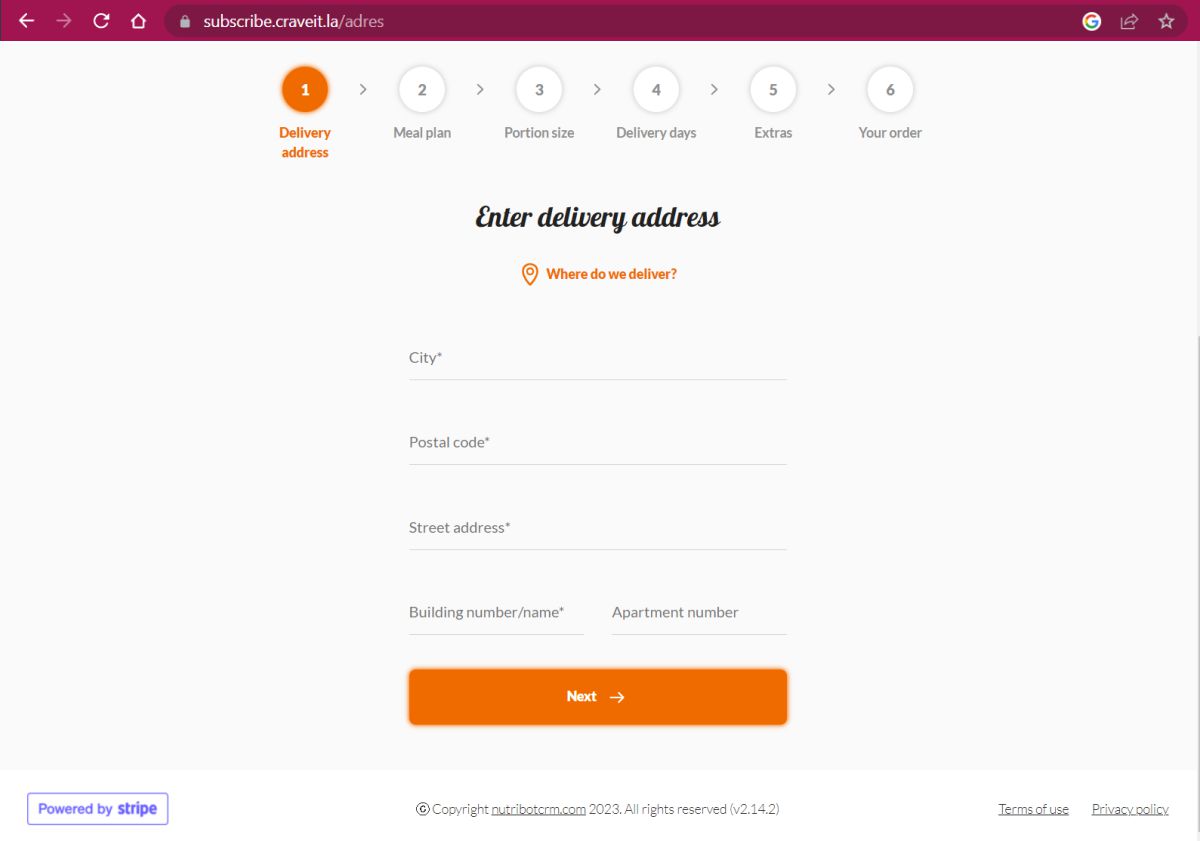
i. Go to: https://subscribe.craveit.la/
or click the button
ii. Enter your Delivery Address
iii. Click NEXT
CLICK to enlarge

i. Choose your Delivery Service type
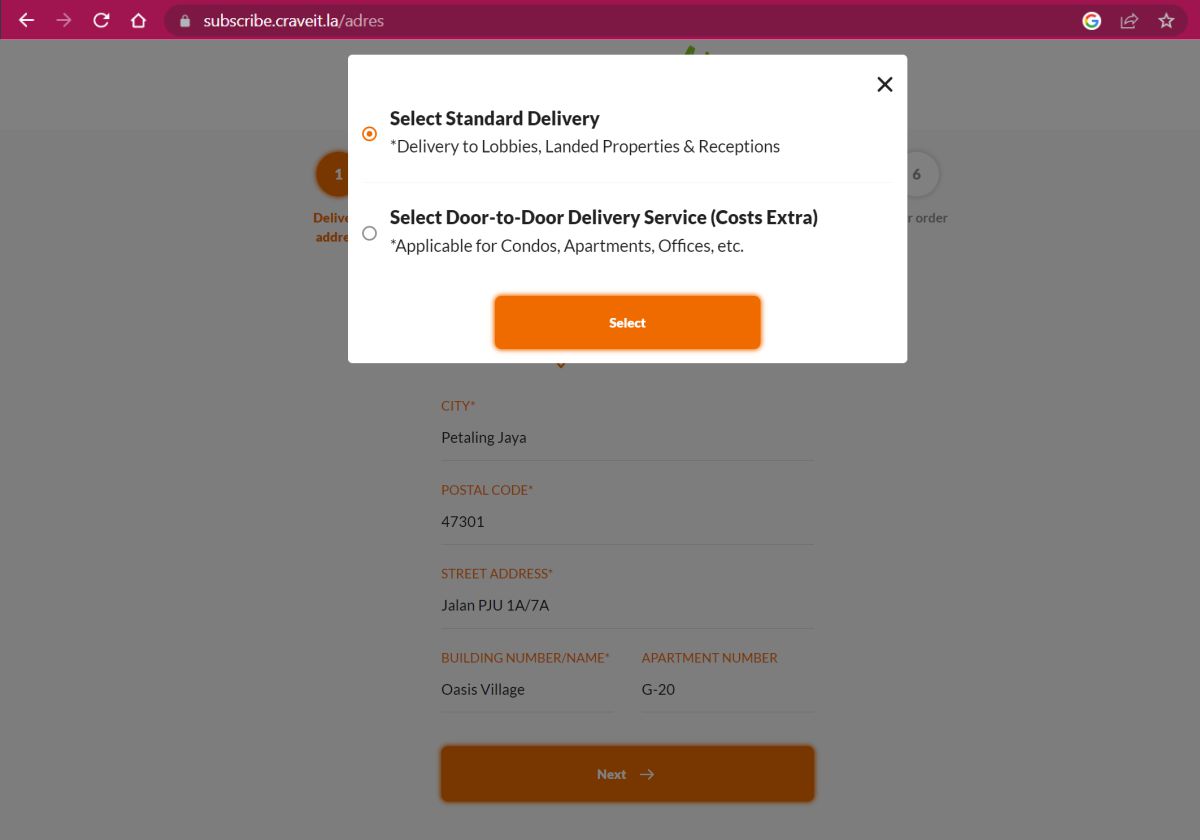
Standard Delivery
Includes typical delivery services to locations with deliveries to Lobbies, Landed Properties, Receptions, etc.
Door-to-Door Delivery Service
Is applicable to delivery locations where riders need to dismount and walk into a building and deliver to the door. i.e. Condos, Apartments, Offices, Hospitals, etc. Note: Additional charges apply.
CLICK to enlarge

Click to Watch our Guide 

 to view detailed menu options.


i. To Choose Your Meal Plan size
& Click SELECT
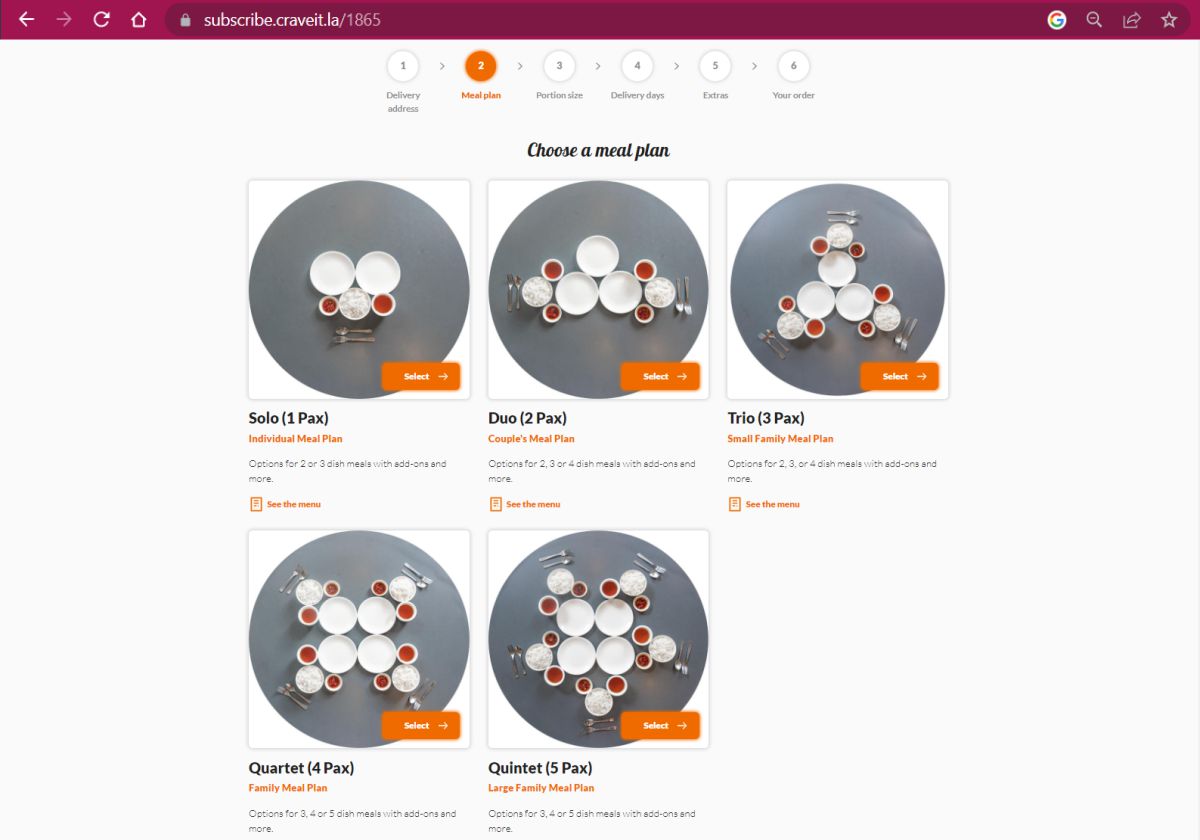
Our meal plans offer different meal sizes based on the number of people dining.
SOLO
- 1 Pax
DUO
- 2 Pax
TRIO
- 3 Pax
Quartet
- 4 Pax
Quintet
- 5 Pax
CLICK to enlarge
Note: Meal Plans (number of pax) cannot be changed once your order is confirmed.

i. Select Lunch or Dinner AND Number of Dishes from the drop down menu

LUNCH or DINNER Meal Times
Our menus are different for lunch and dinner. Lunch is only available for delivery during lunch delivery slots and vice versa for Dinner.
Number of Dishes
You can choose the number of dishes in your meal
Lite
- 2 Dishes
Classic
- 3 Dishes
Deluxe
- 4 Dishes
Royale
- 5 Dishes
CLICK to enlarge
Note: Lunch/Dinner & Number of Dishes selected cannot be changed once your order is confirmed.

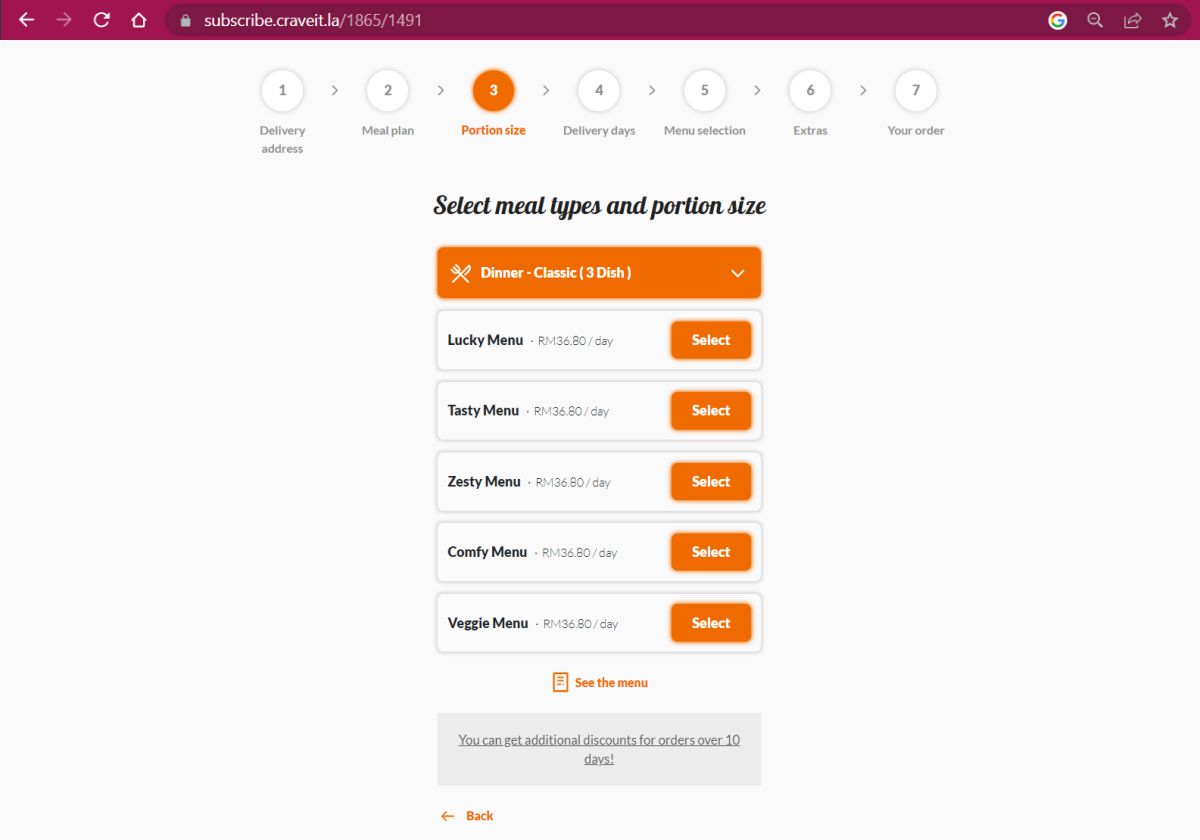
i. Select one of the available menus
Curated Menus
We have curated several menus to suit different tast profiles.
Lucky: our recommended combinations
Tasty: our bestsellers, kid-friendly
Zesty: stronger flavours, spicy
Comfy: elderly-friendly, easy-to-eat dishes
Veggie: veggie-friendly, non-meat dishes
CLICK to enlarge
Note: New menus may be added from time to time. Prices displayed are exclusive of delivery fees.

i. SELECT the days you want meals
to be delivered
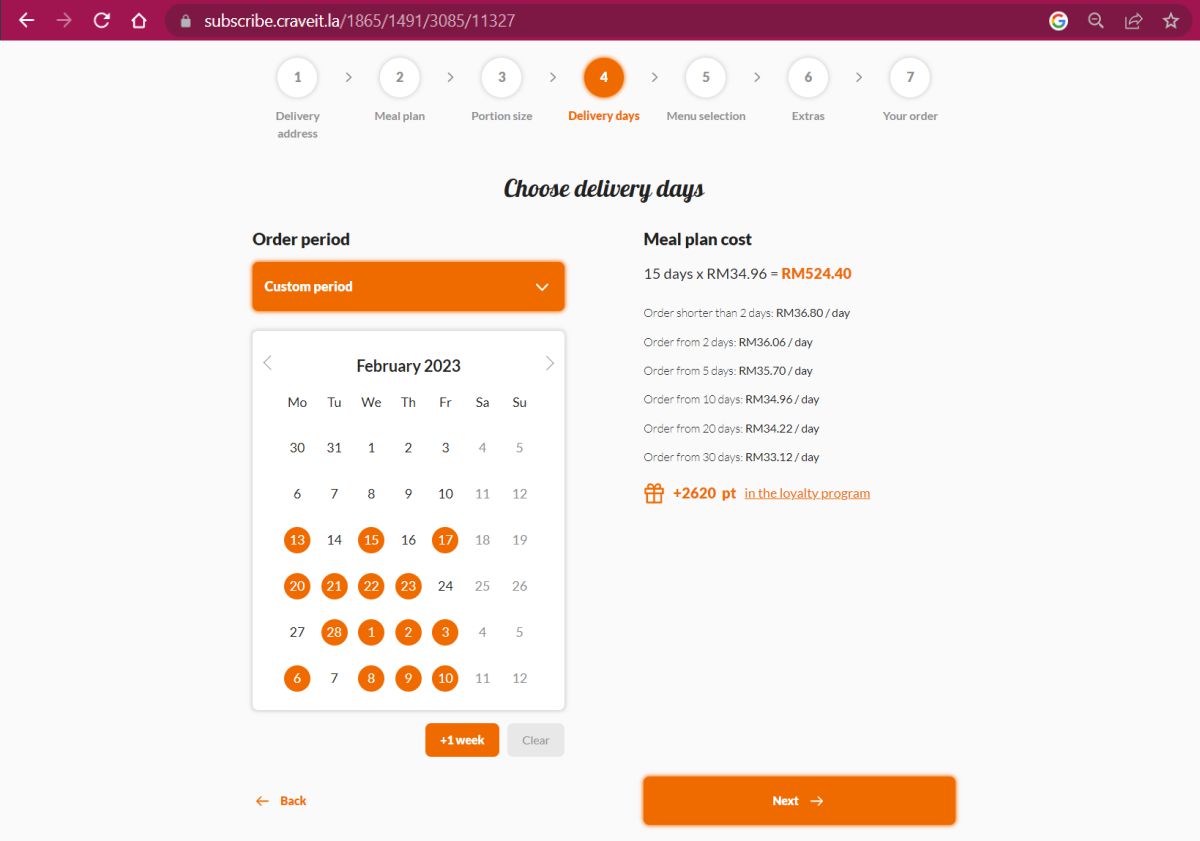
You can choose between 1-50 non-consecutive days. One day a week or several, plan around your schedule.
Remember, you can make changes to selected
Delivery Dates
of any order later from your account.
Discounts
are applied for meal plans over
2, 5, 10, 20 & 30 days!
CLICK to enlarge

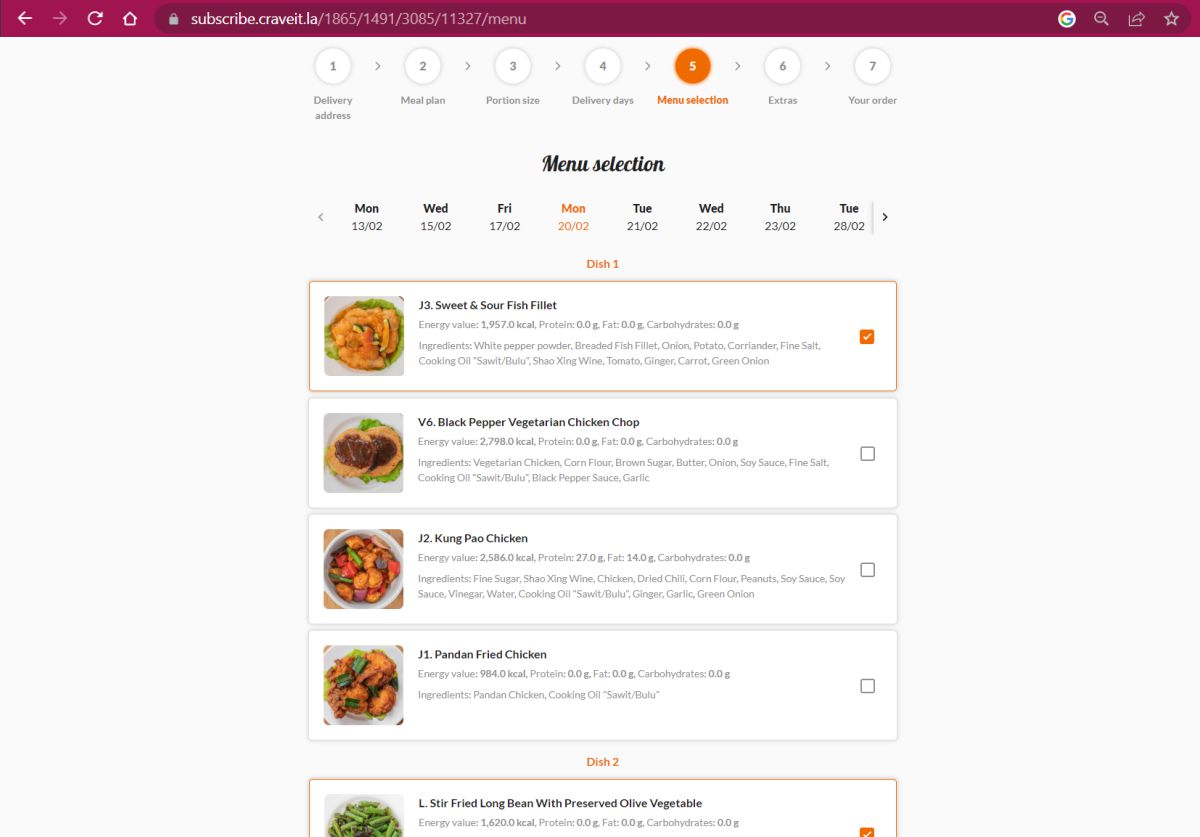
i. Review the menu for selected delivery
days and customise dishes if needed
ii. Make all your menu changes before
clicking Next
You can change any dishes from the available menu of any scheduled day. Select the day and scroll down the menu to choose your changes.
CLICK to enlarge
Note: Meal Plans (number of pax) cannot be changed once your order is confirmed.

i. Select Extras to add to your order
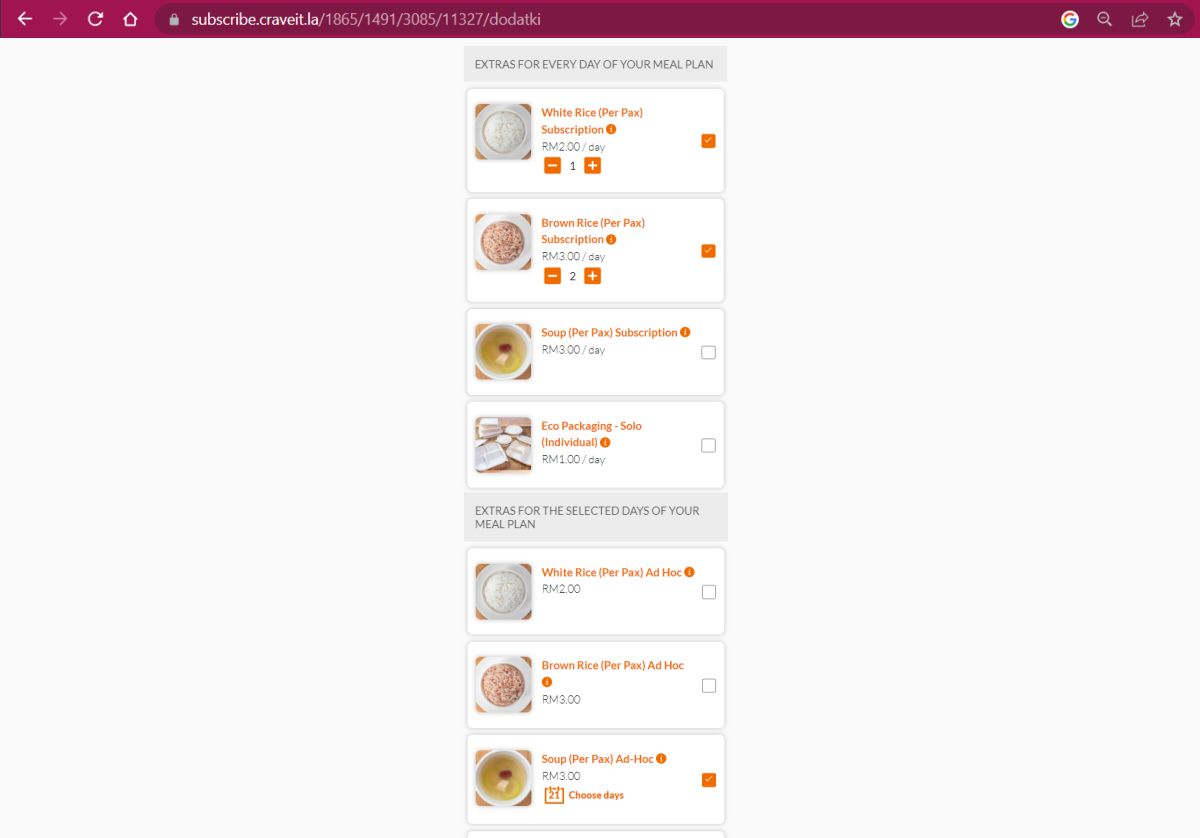
You can select the number of Extra Add-ons you want to receive (i.e. 2 portions of Brown Rice + 1 portion of White Rice for 3 people dining)
You have two types of Extras to choose from:
EXTRAS FOR EVERY DAY OF YOUR MEAL PLAN
These Extras will be added to every day of your meal plan (i.e. if you want soup with every meal, select the number of portions of soup under this category)
EXTRAS FOR THE SELECTED DAYS OF YOUR MEAL PLAN
These Extras will only be added on days you choose to add them in your meal plan (i.e. if you only want rice once a week, select rice under this category and choose the days you want rice to come with your meal)
CLICK to enlarge
Note: Extra Add-ons CAN'T be added once your order is confirmed.


i. Check the details of your Meal Plan
The Cost of the Delivery is the total cost of delivery for your entire meal plan based on your Delivery Area.
If you need to check the dates you selected for your Extra Add-Ons, please click Edit Extras
.
Should you need to add another Meal Plan for a different Meal Size, Dish Selection on DIFFERENT DAYS than the above, you can click Add Another Meal Plan below.
CLICK to enlarge
Note: If you want to add another Meal Plan to be delivered on the same day
, but at a different Meal Time
(i.e. you have ordered a Lunch Meal Plan and want to add a Dinner Meal Plan), complete the first order for Lunch and create a new order for Dinner.

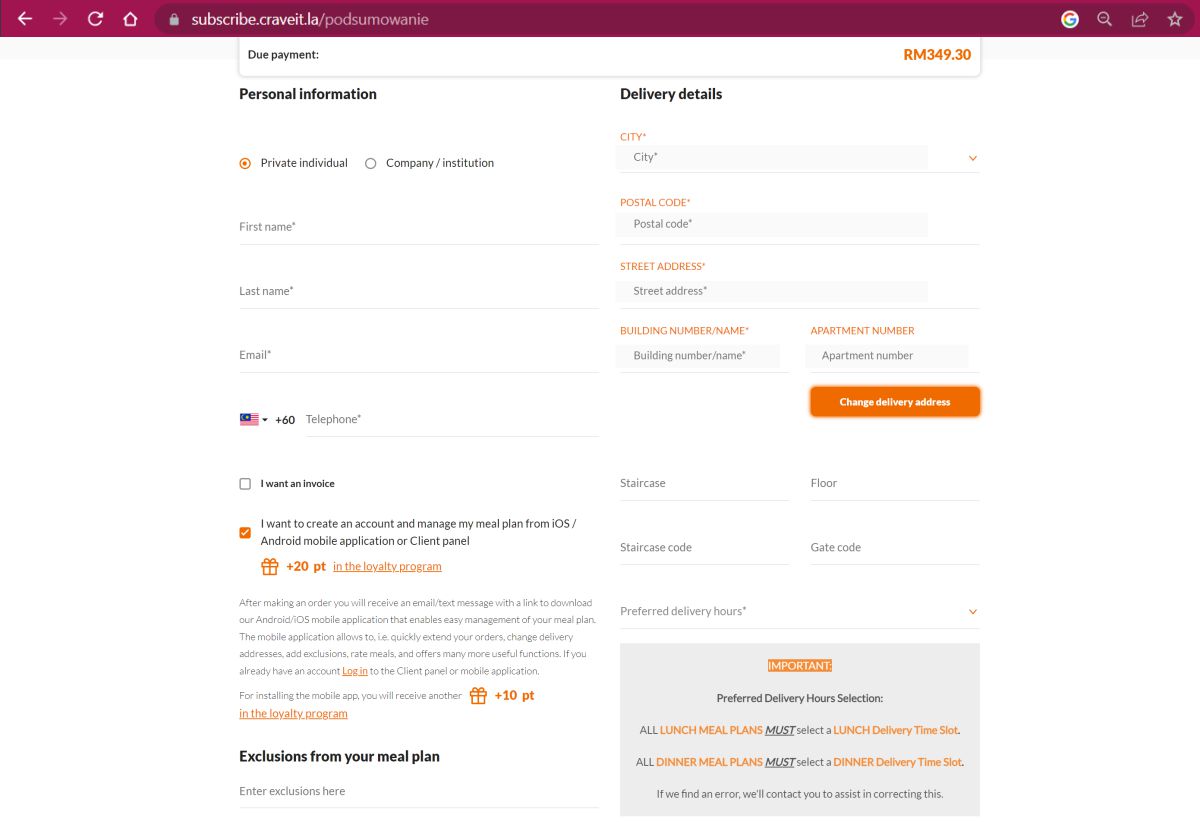
i. ENTER your Name, Email & Phone
number
ii. SELECT " I want to create an account"
iii. SELECT Preferred Delivery Hours
CLICK to enlarge
IMPORTANT:
ALL LUNCH MEAL PLANS
MUST
select a LUNCH Delivery Time Slot.
ALL DINNER MEAL PLANS
MUST
select a DINNER Delivery Time Slot.
If we find an error, we'll contact you to assist in correcting this.
i. SELECT your Place of Delivery

ii. ADD any Additional Information
iii. Type your Discount Code (if applicable)
iv. Select your Payment Method
v. Click "Buy Now..." to confirm
your order
CLICK to enlarge